Various apps
If you want to convert a photo to a drawing, it's of course intended that you can use the drawing in various applications as we mentioned earlier. That will in any case mean that the digital drawing, when necessary, must be able to be enlarged without any quality loss.
Now, many various apps are offered that automatically convert your photos to a digital drawing. But does that actually work?
These apps are free at first, but if you don't want to be confronted with a watermark, annoying ads, or limited functionality, you'll soon have to pay anyway. Additionally, all these apps have the disadvantage that it's a fully automated process, the quality check by a graphic specialist is missing.
And that's reflected in the results with most of these apps. These apps also lack the ability to save the digitized drawing as a vector file. And you do need a vector file to have the drawing enlarged without problems. If your photo is converted to a drawing in the format of a vector drawing, it can be used without problems on, among other things, large signs, flags, and banners.
Using an app to convert a photo to a drawing is therefore honestly not recommended. But are there any other options then?
Websites for converting a photo to a drawing
In addition to the various apps we discussed earlier, there are also a number of websites that convert your photo to a drawing for you. These websites also use a fully automated process in which your photos are converted to a digital drawing.
And sometimes you can also choose from various funny effects and nice texts. These websites, like the apps discussed earlier, are honestly not really suitable for professional use. But why is that actually?
Among other things, this is due to the fact that you cannot save the final result as a vector file (which you'll need again as soon as you want to have the final result printed). And using a photo of a high resolution makes no difference then, unfortunately.
In that case, the final drawing will still not be directly suitable for enlargement for print work such as billboards and banners. If you were to enlarge the final drawing in this case, the individual pixels from which the drawing is built become visible.
Additionally, in the case of automatically converting a photo to a drawing from such websites, the quality is nowhere to be found. That's because nothing is done manually and there's no final check. Also, if you want to use such websites, you'll have to take out a subscription in some cases.
There are of course professional packages on the market with which you can convert a photo to a drawing. But how does that work then? And is it easy to do?
Adobe Illustrator for converting a photo to a drawing
Yes indeed, there are various professional software packages on the market that make it possible to convert a photo to a drawing. Such as the package Adobe Illustrator. This professional software package, which is widely used in the graphics industry, is very suitable for converting a photo to a drawing.
Illustrator can vectorize files anyway, so create a vector file of the final result. The final vectorized result, the actual drawing, you can make as large as needed. There will be no quality difference, the image will always be razor-sharp.
Before you now purchase Adobe Illustrator and want to get started, you should realize that there are some disadvantages to using a package like Adobe Illustrator. To begin with, it's a fairly pricey package. Additionally, it's not really an intuitive software package that you'll be able to get started with right away after an afternoon of practice.
The learning curve is namely quite steep.
The process of converting a photo to a drawing in Illustrator, for example, is also a complex process that consists of a whole lot of steps that need to be taken. So unfortunately not really something you can learn in an afternoon.
Graphic expert
Of course, you can also call in the help of a graphic expert to convert a photo to a drawing. That saves you a lot of time and frustration. Agencies that have extensive experience in such specialized work, like Logo in Vector, can often deliver the requested drawing fairly quickly and for a small investment.
Do you want to convert one or more photos to a drawing? Then you can actually best have that done by, for example, the team of specialists at Logo in Vector. Within 48 hours you can receive your vector file by email.
The team of professionals at Logo in Vector will trace your photo entirely by hand in Adobe Illustrator. This way, we can always guarantee the very highest quality. Manually converting a photo to a drawing is many times more accurate than having this done by an automated process.
During the conversion of the photo to a drawing, the people at Logo in Vector check every path, direction point, and anchor point. This way, errors are prevented and the very highest quality can be guaranteed. With the final result delivered by the professionals at Logo in Vector, you can look great.
Exceptions
Unfortunately, there are exceptions and not all photos are suitable for conversion to a vector drawing. Most photos such as your vacation photos that you took with your mobile phone or camera consist of millions of pixels.
These pixels are all small color areas that together form your image. When you zoom in very far, you'll start to see these color areas. These photos are generally not suitable for vectorization. But why not?
A vector consists namely of color areas or color gradients. You can probably imagine that we're not able to trace these millions of tiny color areas one by one. If these photos were vectorized, a lot of information would be lost.
Many of these tiny color areas or pixels will not be seen back due to the fact that many pixels are combined into larger color areas, which means your photo doesn't retain the right information. In the bigger picture, it will therefore only seem that the quality of your photo has gone down and that's of course not the intention.
It therefore entirely depends on what's presented in your photo and how much information it contains.
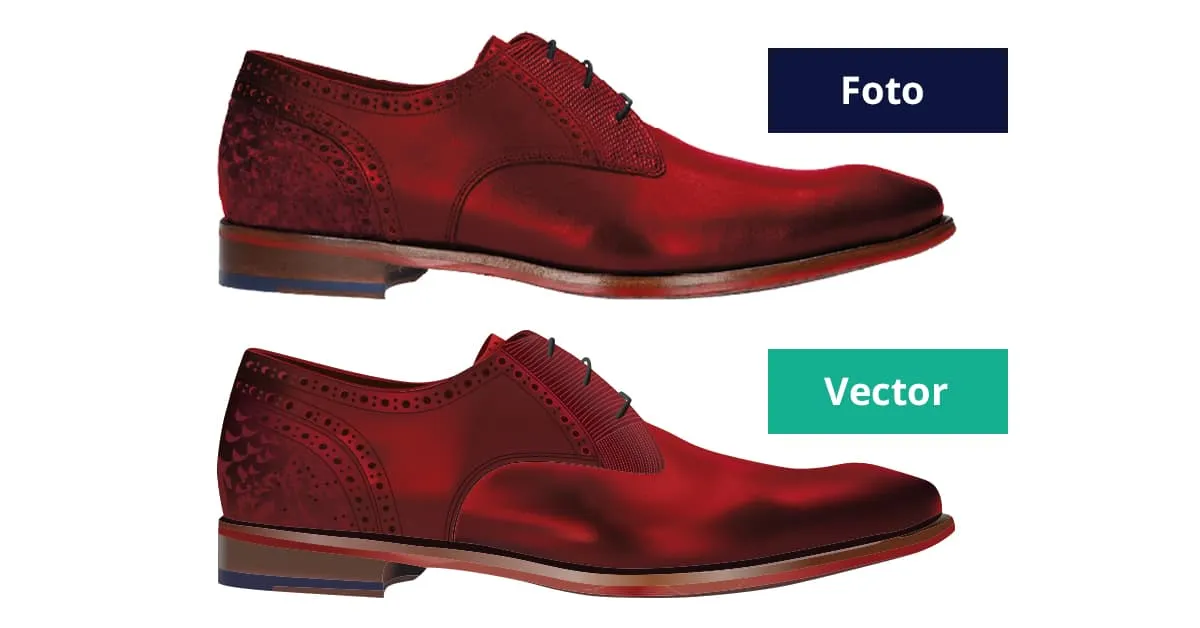
Photos of objects are better suited for vectorization. In short, the less detail a photo contains, the more suitable it is for vectorization and the more accurately it can be traced (vectorized).
Want to order directly?
Want to convert a logo right away? You can easily do so via our order page.